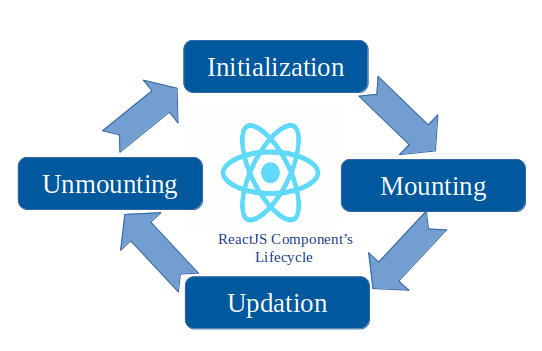
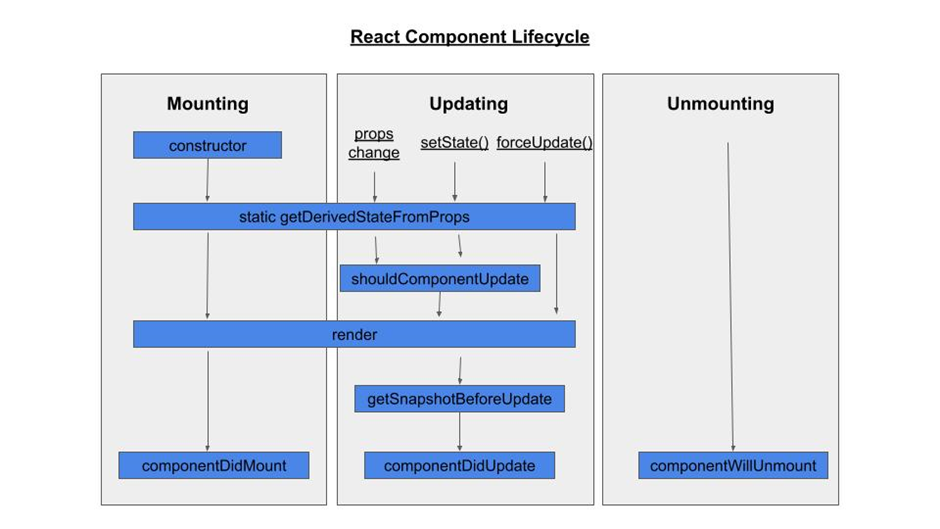
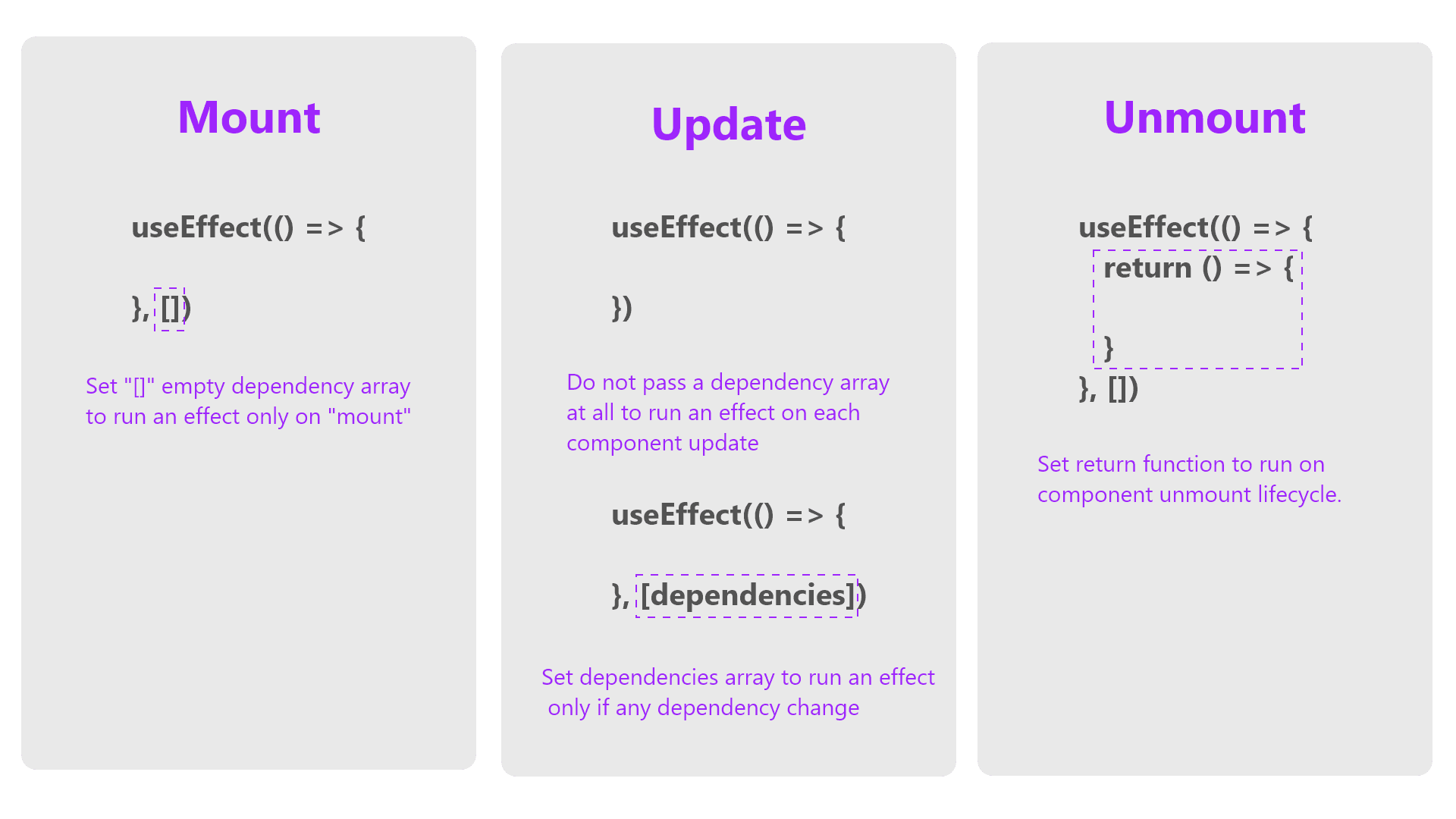
React မှာ component ရဲ့ lifecycle ကို အောက်မှာပြထားတဲ့အတိုင်း အဓိကအားဖြင့် Mounting, Updating, Unmounting ဆိုပြီး အပိုင်း (၃) ခွဲခြားနိုင်ပါတယ်။ အပိုင်းတစ်ခုချင်းစီမှာ ကိုယ်ပိုင် lifecycle method (functional component မှာဆိုရင် Hook) ရှိကြပါတယ်။
Mounting
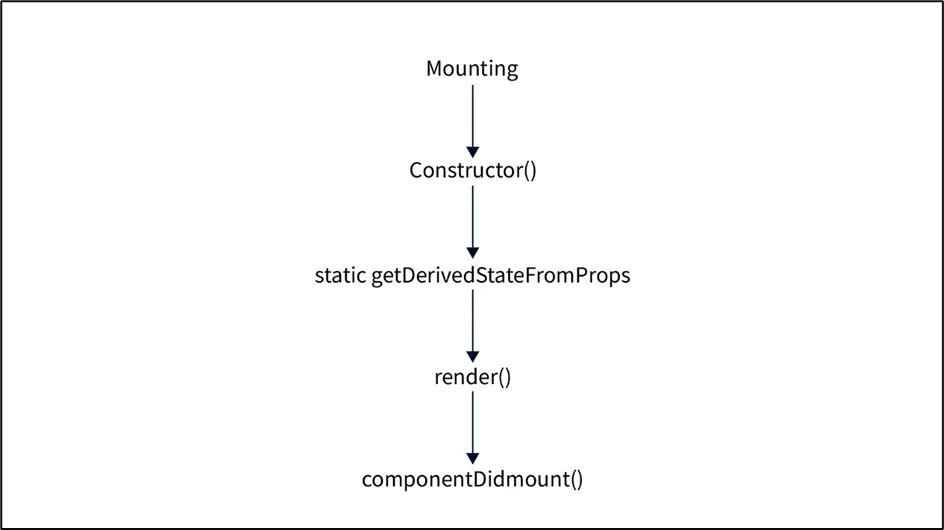
ဒီအပိုင်းမှာရှိတဲ့ lifecycle method တွေက component ကို create လုပ်ပြီးတဲ့အချိန်နှင့် DOM (Document Object Model) ထဲ ထည့်ပြီးတဲ့အချိန်မှာ run ပါတယ်။ သူ့ရဲ့ lifecycle method တွေကတော့
- constructor()
- static getDerivedStateFromProps()
- render()
- componentDidMount()
တို့ပဲ ဖြစ်ပါတယ်။
ဥပမာ -
class MyComponent extends React.Component {
  constructor(props) {
    super(props);
    this.state = { count: 0 };
    console.log('Constructor: Initializing state');
  }

  static getDerivedStateFromProps(nextProps, prevState) {
    console.log('Derived State: Syncing state with props');
    return null; // state အသစ် return ပြန် (သို့) state က ဘာမှမပြောင်းလဲဘူးဆိုရင် null ကို return ပြန်
  }

  componentDidMount() {
    console.log('Component Did Mount: Component has been rendered');
    // data များ fetch လုပ်ခြင်း နှင့် subscription လုပ်ခြင်းတွေကို ဒီနေရာမှာ လုပ်ရပါတယ်။
  }

  render() {
    console.log('Render: Rendering component');
    return <div>Count: {this.state.count}</div>;
  }
}
;
Updating
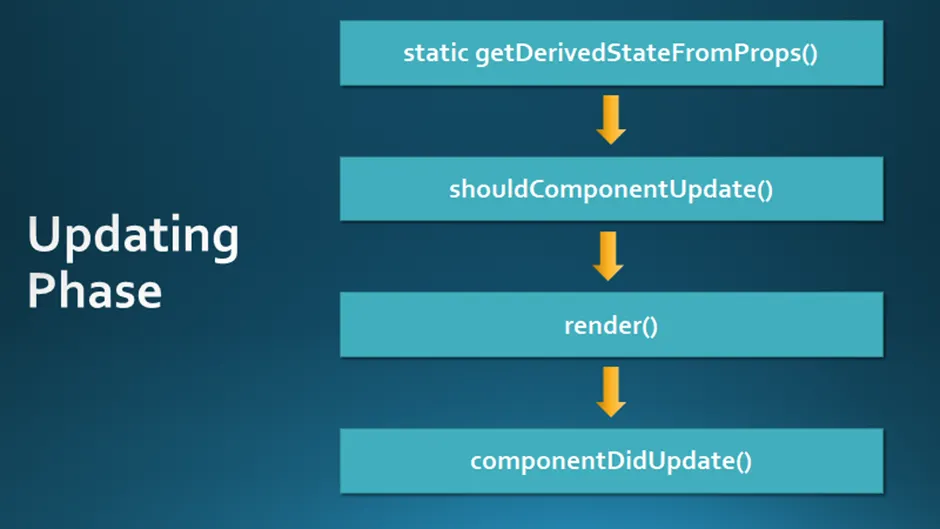
ဒီအပိုင်းမှာရှိတဲ့ lifecycle method တွေကတော့ prop သို့မဟုတ် state တစ်ခုခုကြောင့် component တွေ re-render လုပ်ပြီးတဲ့အချိန်မှာ run ပါတယ်။ သူ့ရဲ့ lifecycle method တွေကတော့
- static getDerivedStateFromProps()
- shouldComponentUpdate()
- render()
- getSnapshotBeforeUpdate()
- componentDidUpdate()
တို့ပဲ ဖြစ်ပါတယ်။
ဥပမာ -
class MyComponent extends React.Component {
  state = { count: 0 };

  static getDerivedStateFromProps(nextProps, prevState) {
    console.log('Derived State: Syncing state with props');
    return null;
  }

  shouldComponentUpdate(nextProps, nextState) {
    console.log('Should Component Update: Deciding whether to re-render');
    return true; //update လုပ်မယ်ဆိုရင် true ကို return ပြန်ပြီးတော့ မလုပ်ဘူးဆိုရင် false ကို return ပြန်
  }

  getSnapshotBeforeUpdate(prevProps, prevState) {
    console.log('Snapshot Before Update: Capturing some information');
    return null; //componentDidUpdate မှာ pass လုပ်မယ့် value ကို return ပြန်
  }

  componentDidUpdate(prevProps, prevState, snapshot) {
    console.log('Component Did Update: Component has updated');
    // previous state/props ပေါ်မူတည်ပြီး operation များ လုပ်ဆောင်
  }

  render() {
    console.log('Render: Rendering component');
    return <button onClick={() => this.setState({ count: this.state.count + 1 })}>Increment</button>;
  }
}
;
Unmounting
ဒီအပိုင်းမှာရှိတဲ့ lifecycle method တွေက component ကို DOM မှ remove လုပ်ပြီးတဲ့အချိန်မှာ run ပါတယ်။ သူ့ရဲ့ lifecycle method ကတော့
ဥပမာ -
class MyComponent extends React.Component {
  componentWillUnmount() {
    console.log('Component Will Unmount: Cleanup tasks here');
    // timer တွေကို clear လုပ်ခြင်း, network request တွေကို cancel လုပ်ခြင်းများ ဒီနေရာမှာ လုပ်ဆောင်နိုင်
  }

  render() {
    return <div>Goodbye!</div>;
  }
}
;
Functional Components and Hooks
Hook များကို အသုံးပြုပြီးတော့လည်း lifecycle event တွေကို ကိုင်တွယ်လို့ရပါတယ်။
ဥပမာ -
import React, { useState, useEffect } from 'react';

const MyComponent = () => {
  const [count, setCount] = useState(0);

  useEffect(() => {
    console.log('Component Did Mount: Component has been rendered');
    // data များ fetch လုပ်ခြင်း နှင့် subscription လုပ်ခြင်းတွေကို ဒီနေရာမှာ လုပ်ရပါတယ်။

    return () => {
      console.log('Component Will Unmount: Cleanup tasks here');
    };
  }, []); // Empty array ကတော့ component ကို mount တဲ့အချိန်မှာ ၁ ကြိမ် run ပြီး unmount တဲ့အချိန်မှာ cleanup function ကို ၁ ကြိမ် run

  useEffect(() => {
    console.log('Component Did Update: Count changed to', count);
  }, [count]); // count ရဲ့ တန်ဖိုး ပြောင်းလဲတဲ့အချိန်တိုင်းမှာ run

  return (
    <button onClick={() => setCount(count + 1)}>
      Increment: {count}
    </button>
  );
};;
Component Lifecycle ကို သေချာနားလည်မယ်ဆိုရင် side effect များ၊ data fetch လုပ်ခြင်းများ၊ cleanup လုပ်ခြင်းများကို သေချာစွာ လုပ်ဆောင်စေနိုင်မှာပဲ ဖြစ်ပါတယ်။
အပိုင်းတစ်ခုချင်းစီရဲ့ Lifecycle Method တွေအကြောင်းကိုတော့ နောက်ထပ်ရေးမယ့် ဆောင်းပါးတွေမှာ အသေးစိတ်ရှင်းပြပေးပါမယ်။